Box
Learn how to connect to Box in puq.ai
Step 1
Login to Box app.
Step 2
Click on the Developer Console bottom of the sidebar.
Step 3
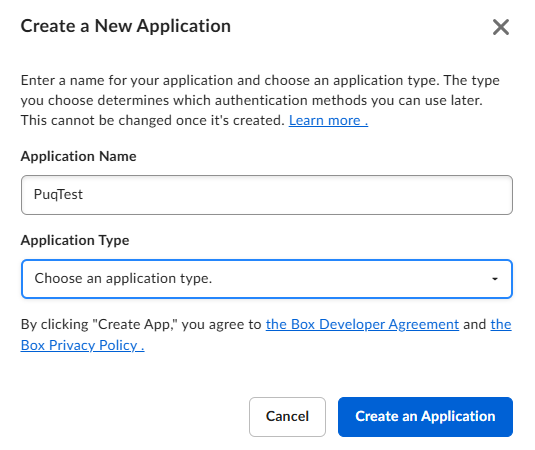
Fill the form. Choose the application Type ‘Web App’
Step 4
Click Create App
Step 5
Fill the redirect url with ‘https://app.puq.ai/oauth2/callback’
Step 6
Under OAuth 2.0 Credentials, you can find Client ID and Client Secret information.
Step 6
Under OAuth 2.0 Credentials, you can find Client ID and Client Secret information. Use this information to fill the form on puq.ai.