Callendy
Learn how to connect to Callendly in puq.ai.
Option 1
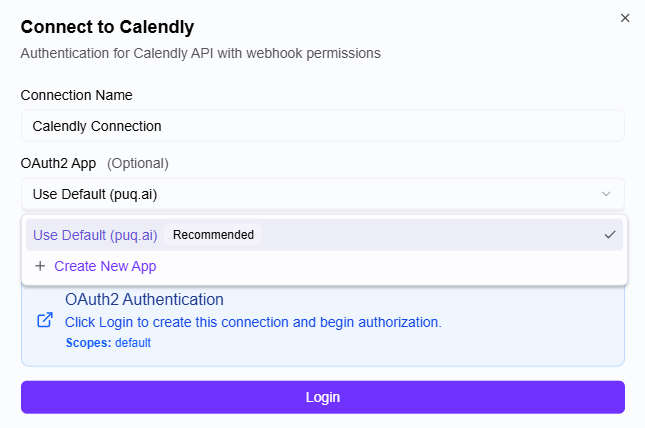
If you logged into puq.ai with Gmail, you can use the Gmail account I used to log in (Use Default (puq.ai)).
Option 2
You can connect your Callendly account.
Step 1
Click Integrations & apps.
Step 2
Click Api and webhooks.
Step 3
On the screen that opens, click My Apps from the topbar.
Step 4
Click Create new app.
Step 5
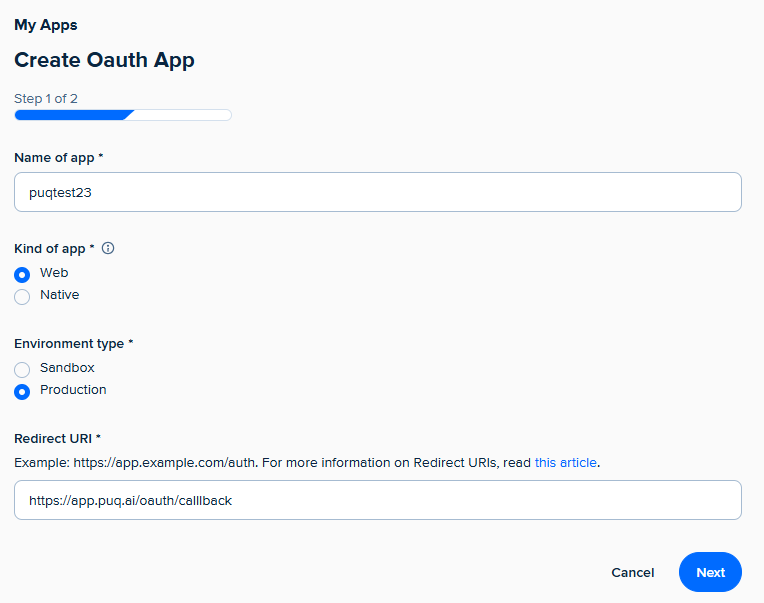
Fill the form 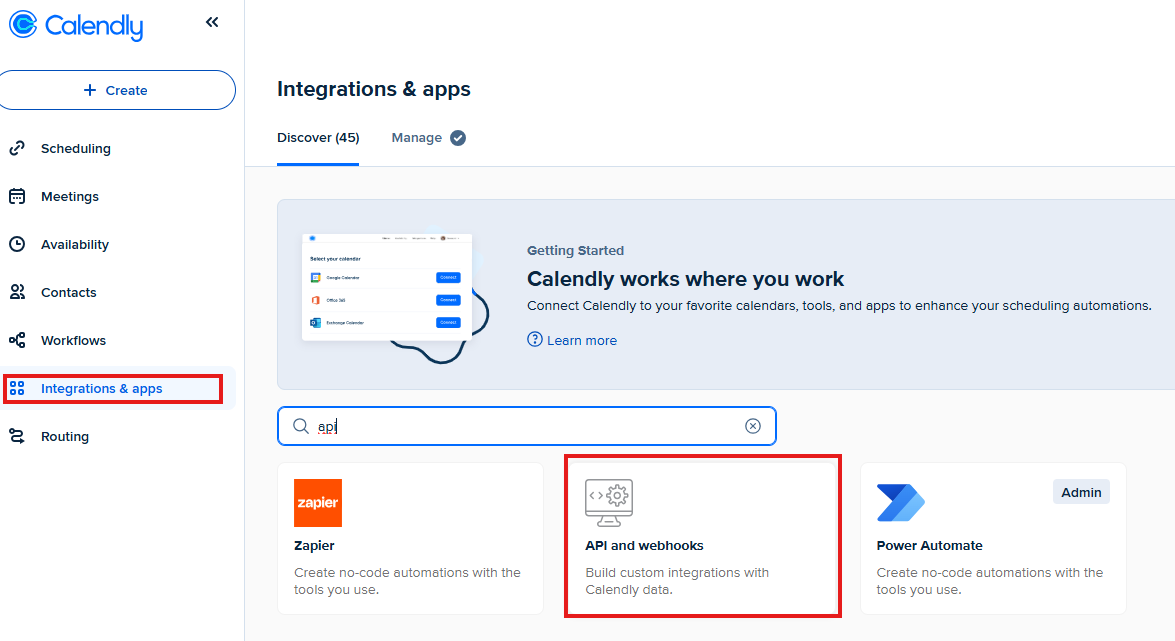 Click Next
Step 6
On screen that opens, you can see your Client ID and Client secret. Use this information to fill the form in puq.ai.