Constant Contact
Learn how to connect to Constant Contact in puq.ai
Step 1
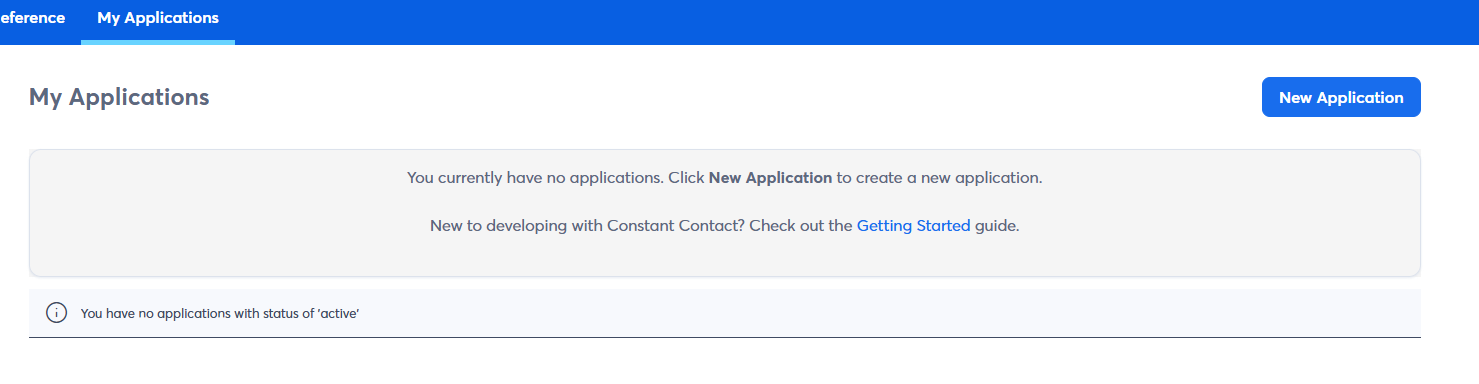
Go to Application Page from developer console or use this url: ‘https://app.constantcontact.com/pages/dma/portal/’.
Step 2
Click New Application
Step 3
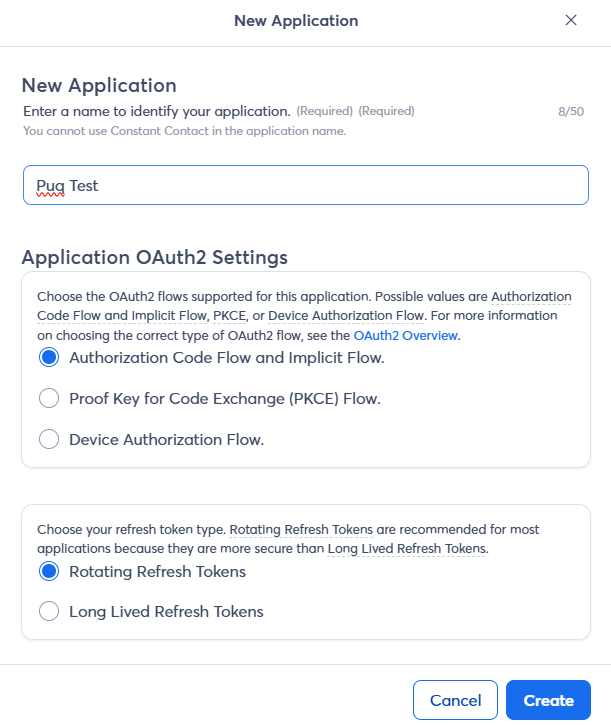
Fill the form.
Step 4
Click Edit on your new application.
Step 5
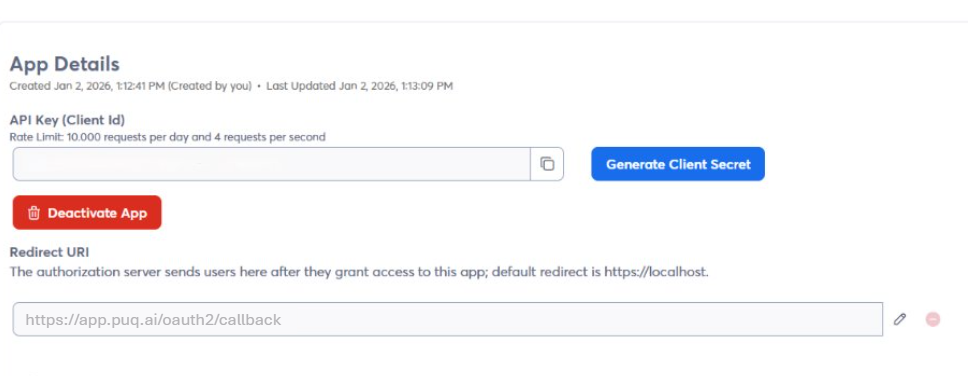
Fill the Redirect URI field with ‘https://app.puq.ai/oauth2/callback’
Step 6
Click Save button.
Step 7
know you can see your Client ID and Client Secret into your new application’s edit page or information page.