Dropbox
Learn how to connect to Dropbox in puq.ai
Step 1
Go to Dropbox Developer and login.
Step 2
Click App Console from topbar.
Step 3
click Create app
Step 4
Fill the form.
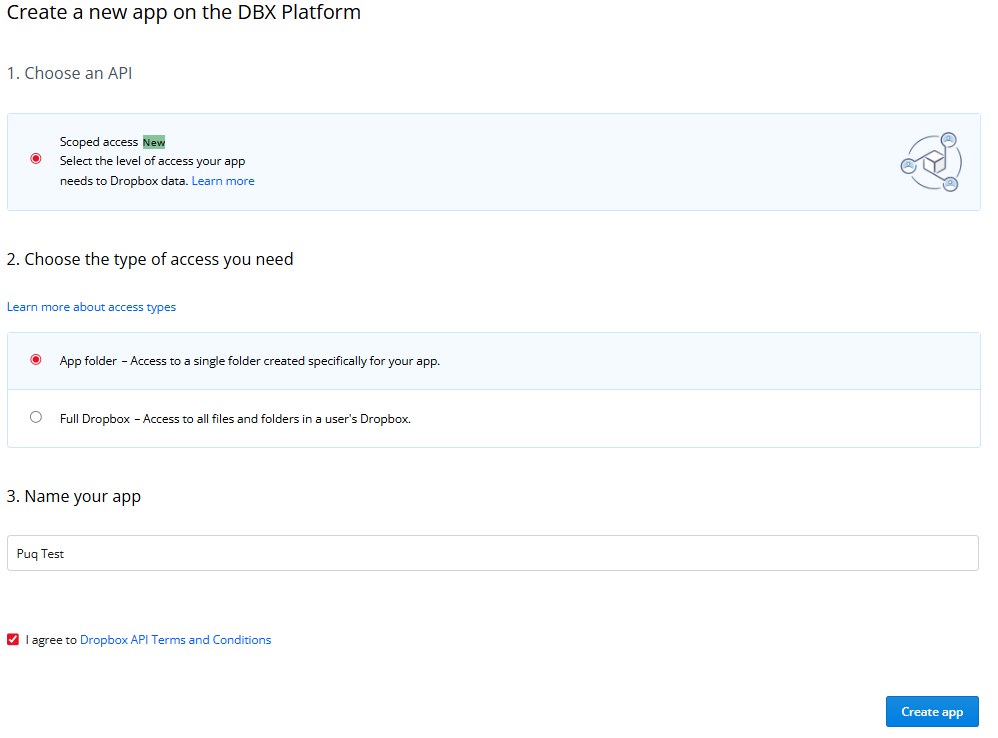
Step 5
Click Create app
Step 6
If your new application’s page is opened continue with step 7, else return back to App Console page and click your new application.
Step 7
Set the Redirect URIs with ‘https://app.puq.ai/oauth2/callback/’
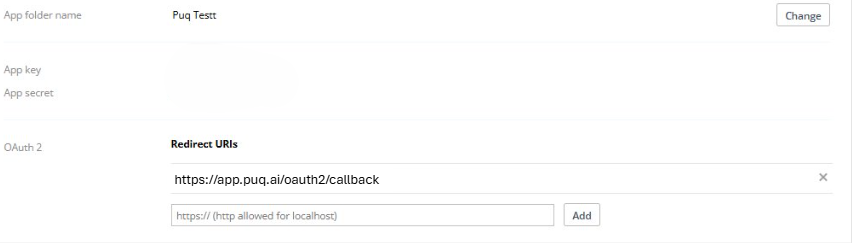
Step 8
You can see your App key and App secret. Use this information to fill the form in puq.ai.