GitHub
Learn how to connect GitHub to puq.ai.
Step 1
Sign in to your GitHub account.
Step 2
Click your profile picture in the top-right corner and select Settings from the dropdown menu.
Step 3
From the left sidebar, click Developer settings.
Step 4
Click OAuth Apps from the left menu.
Step 5
Click New OAuth App.
Step 6
Fill in the application form.
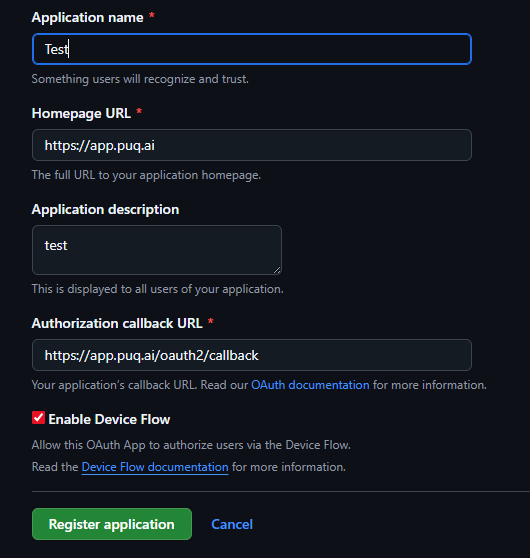
Step 7
Click Register application.
Step 8
The application details page will open. Here, you can copy the Client ID and generate a new Client Secret by clicking Generate new client secret.

Use this information to complete the GitHub integration form in puq.ai.