Mailchimp
Learn how to connect Mailchimp to puq.ai.
Step 1
Sign in to your Mailchimp account.
Step 2
Click your profile picture in the top bar.
Step 3
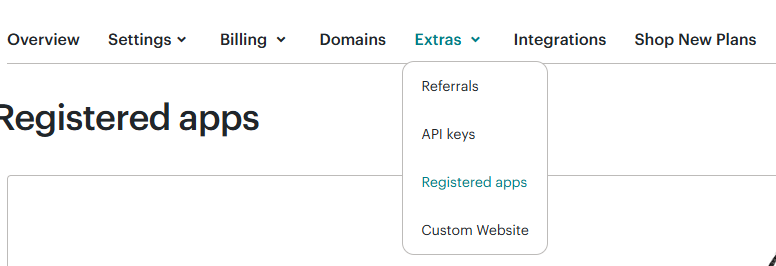
From the top menu, click Extras, then select Registered apps from the dropdown.
Step 4
Click Register an app.
Step 5
After completing the registration, Mailchimp will redirect you to the app details page. On this page, you can find the basic OAuth information for your application, including Client ID and Client secret
Use this information to complete the Mailchimp integration form in puq.ai.