Notion
Learn how to connect Notion to puq.ai.
Step 1
Go to the Nitoin app. Go to profile. Go to integrations.
Step 2
Click New Integration.
Step 3
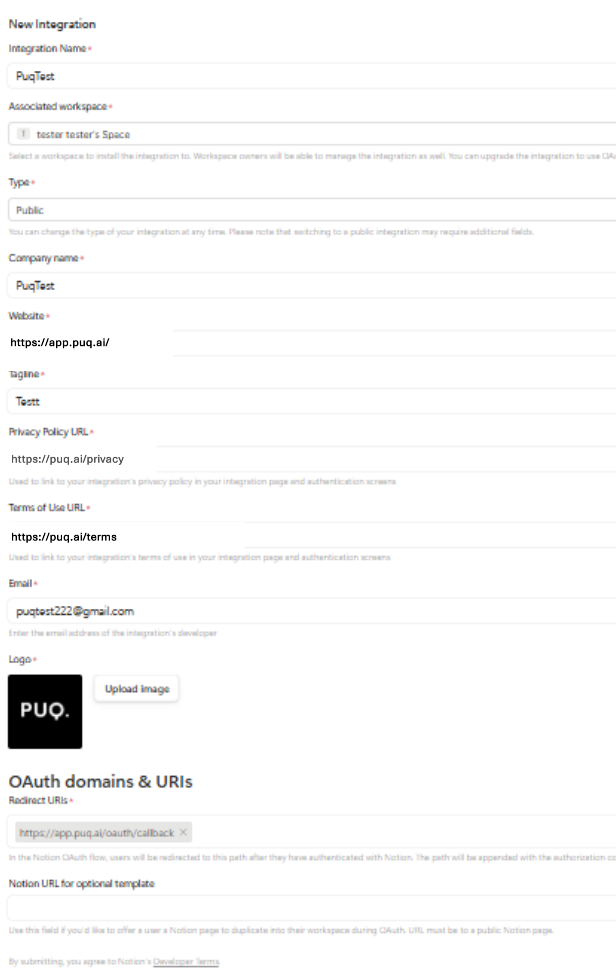
Fill in the integration form. Make sure to add the following value to the Redirect URL field: https://app.puq.ai/oauth2/callback/
Step 4
Click Save.
Step 5
Open the integration you just created. On the integration details page, you will find the Client ID and Client Secret.
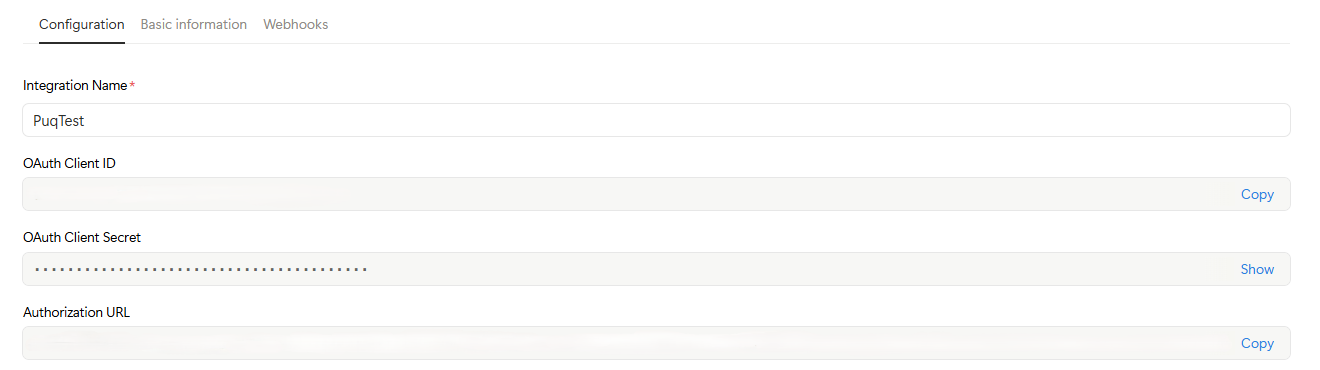
Use this information to complete the Notion integration form in puq.ai.