Pipedrive
Learn how to connect Pipedrive to puq.ai.
Step 1
Go to: https://developers.pipedrive.com/
Sign in to your Pipedrive account.
Step 2
Click your user profile in the top bar and select Developer Hub from the dropdown menu.
Step 3
On the Developer Hub page, you will see two tabs: Public apps and Private apps. Choose whether you want to create a public app or a private app based on your needs.
Step 4
Click Create public app or Create private app.
Step 5
Fill in the application form. In the Redirect URI field, enter the following value:
https://app.puq.ai/oauth2/callback
Step 6
Click Save.
Step 7
Return to the Developer Hub and click the app you just created.
Step 8
From the bottom-right section, click OAuth & access scopes.
Step 9
In the modal that opens, you will find the Client ID and Client Secret at the bottom.
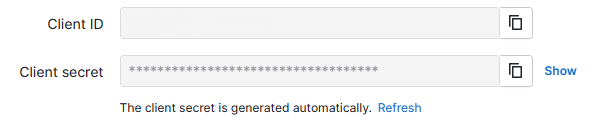
Use this information to complete the Pipedrive integration form in puq.ai.