Salesforce
Learn how to connect Salesforce to puq.ai.
Step 1
Sign in to your Salesforce account.
Step 2
Click the gear icon in the top-right corner and select Quick Advanced Setup.
Step 3
On the new screen, use the Search Setup field in the top bar and search for App Manager.
Step 4
On the App Manager screen, click New External App.
Step 5
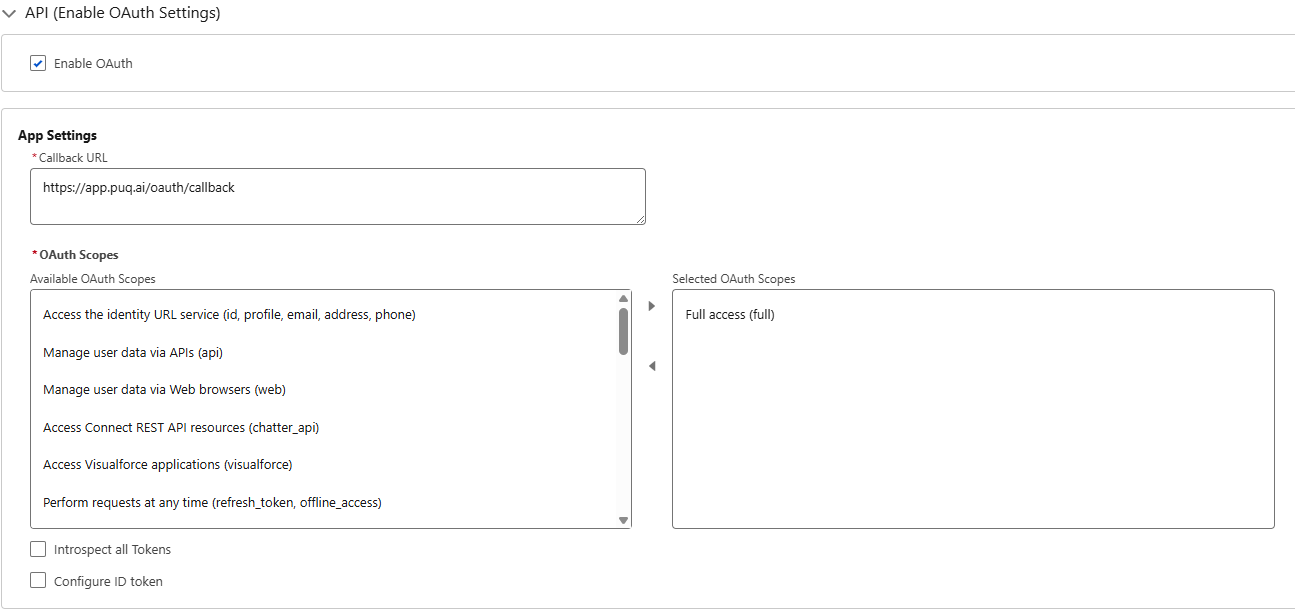
Fill in the form.
Complete the API section as specified.
Step 6
Click Create.
Step 7
Using the search field, search for External Client App Manager.
Step 8
Click the app you just created.
Step 9
On the app details page, scroll down and click Settings.
Step 10
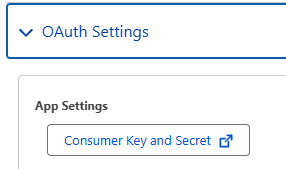
Open OAuth Settings and click Consumer Key and Secret.
Step 11
Here, you will find the Client Key and Client Secret.
Use this information to complete the Salesforce integration form in puq.ai.