Xero
Learn how to connect Xero to puq.ai.
Step 1
Go to the Xero Developer Platform:
https://developer.xero.com/
Step 2
From the top bar, click My Apps, then click New App.
Step 3
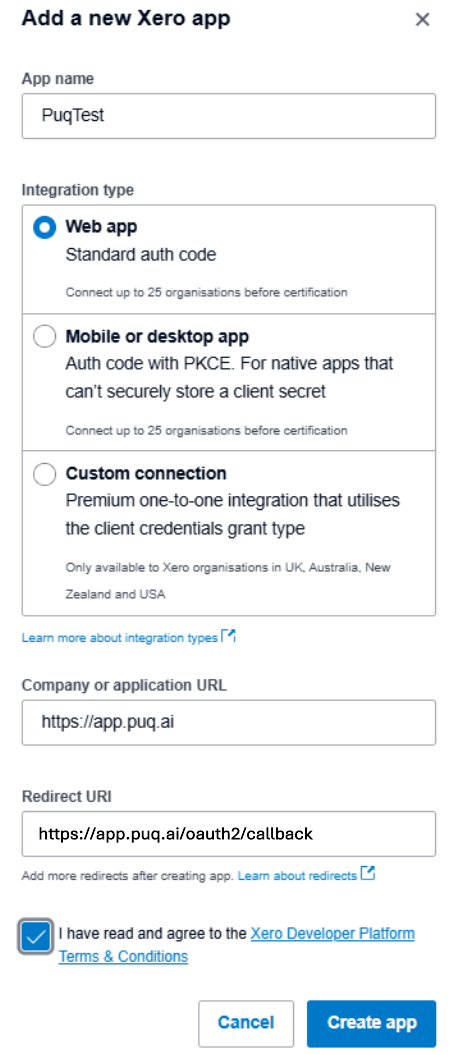
Fill in the application form.
Step 4
Click Create App.
Step 5
The app details page will open.
From the sidebar, click Configuration.
Step 6
On the Configuration page, you will find the Client ID and Client Secret.
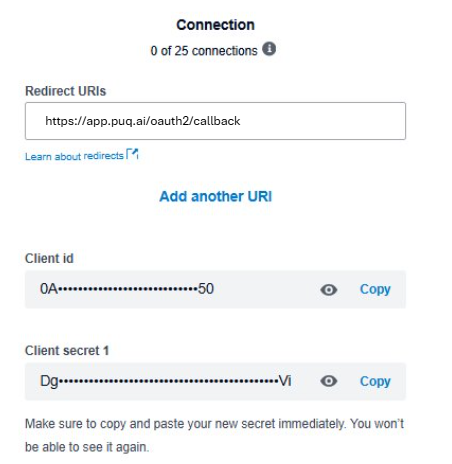
Use this information to complete the Xero integration form in puq.ai.