Zoho CRM
Learn how to connect Zoho CRM to puq.ai.
Step 1
Go to the Zoho API Console:
https://accounts.zoho.com/
Step 2
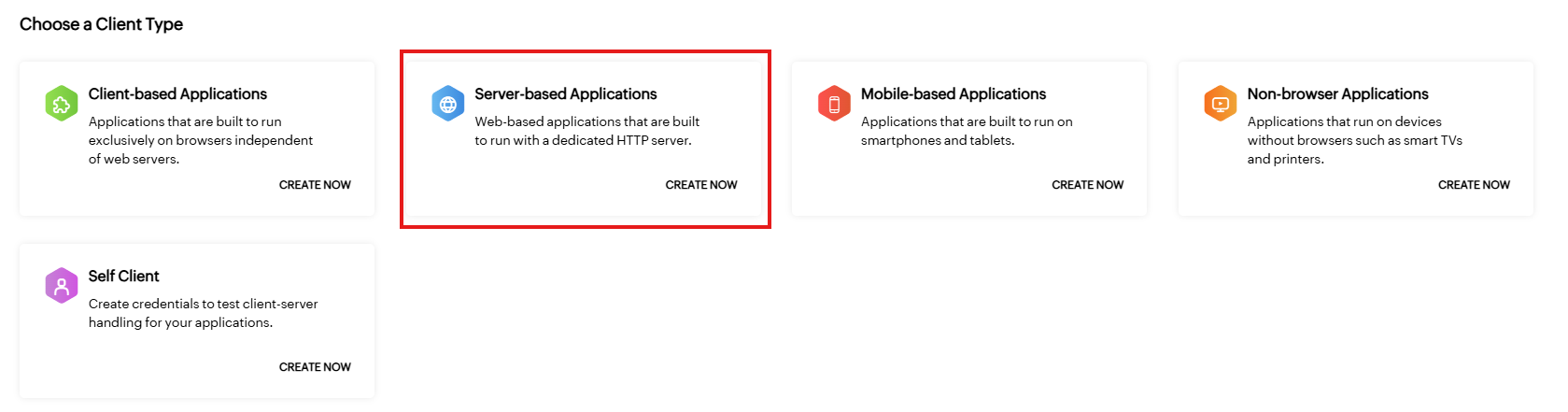
Click Server-based applications (Create).
Step 3
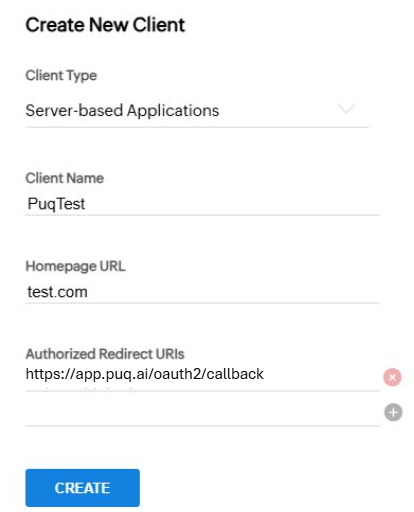
Fill in the application form and click Create.
Step 4
After the app is created, open the application details page.
In the Client Secret section, you will find the Client ID and Client Secret.
Use this information to complete the Zoho CRM integration form in puq.ai.