Zoom
Learn how to connect Zoom to puq.ai.
Step 1
Go to the Zoom App Marketplace:
https://marketplace.zoom.us/
Step 2
From the top bar, open the Develop dropdown and select Build App.
Step 3
Select General App as the app type and click Create.
Step 4
After clicking Create, you will be redirected to the app configuration page.
If you are not redirected automatically, return to the homepage, click Manage from the top bar, find your project name in the list, and click it.
Step 5
Under App Credentials, you can find the Client ID and Client Secret.
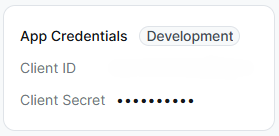
Use this information to complete the Zoom integration form in puq.ai.